✨ What will we make?
Titles, taglines, character lines: text does the talking. Starting with a simple "Start Creating", you'll learn to add text and change its font, size, and color so your visuals can speak!
🚀 Follow along, with a screenshot for every step
Everything below comes from real screenshots, and you can swap in any font and color you like. Don't have a canvas yet? Start withBuild your first creative space on the canvas.
01 | Find the text tool
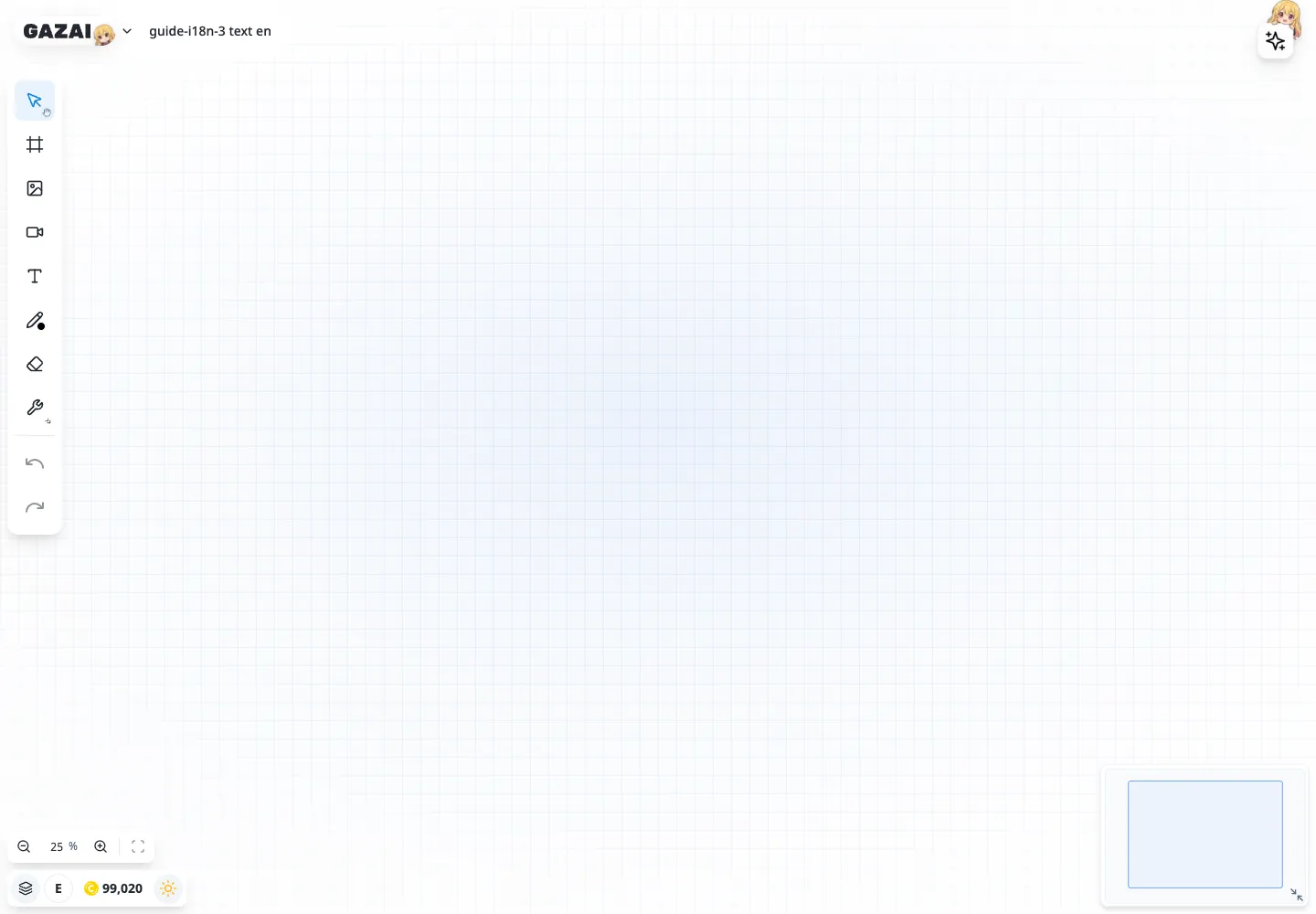
Log in to GAZAI and open the canvas you want to practice on. The T in the left toolbar is "Add Text".
You'll see:The grid canvas and the left toolbar.
02 | Add your text
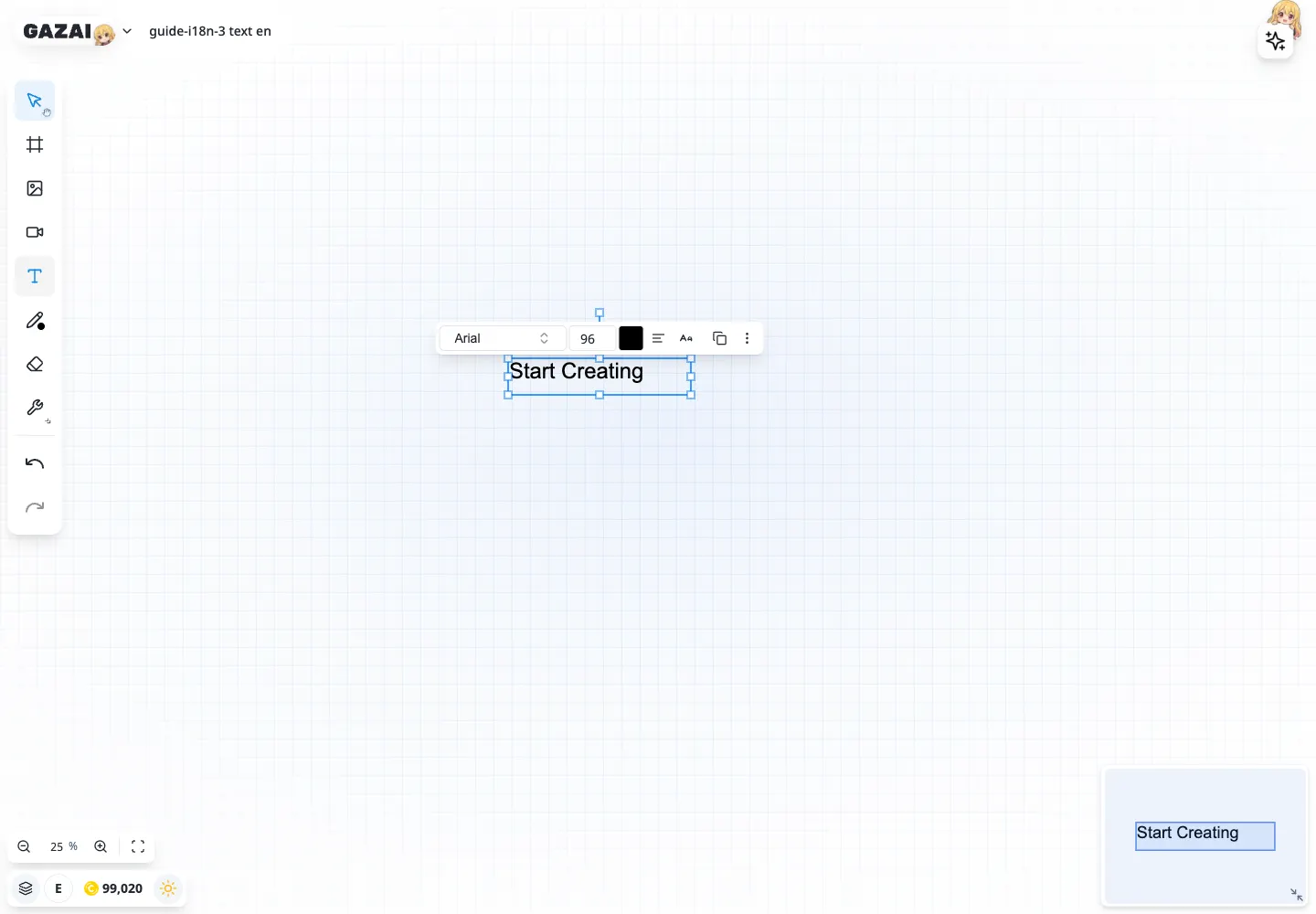
Click the T ("Add Text") on the left, type "Start Creating", and press Esc when you're done.
You'll see:Your text on the canvas. While it's selected, it has a blue outline and a text toolbar. To change the wording, double-click the text to edit it again.
03 | Change the font and size
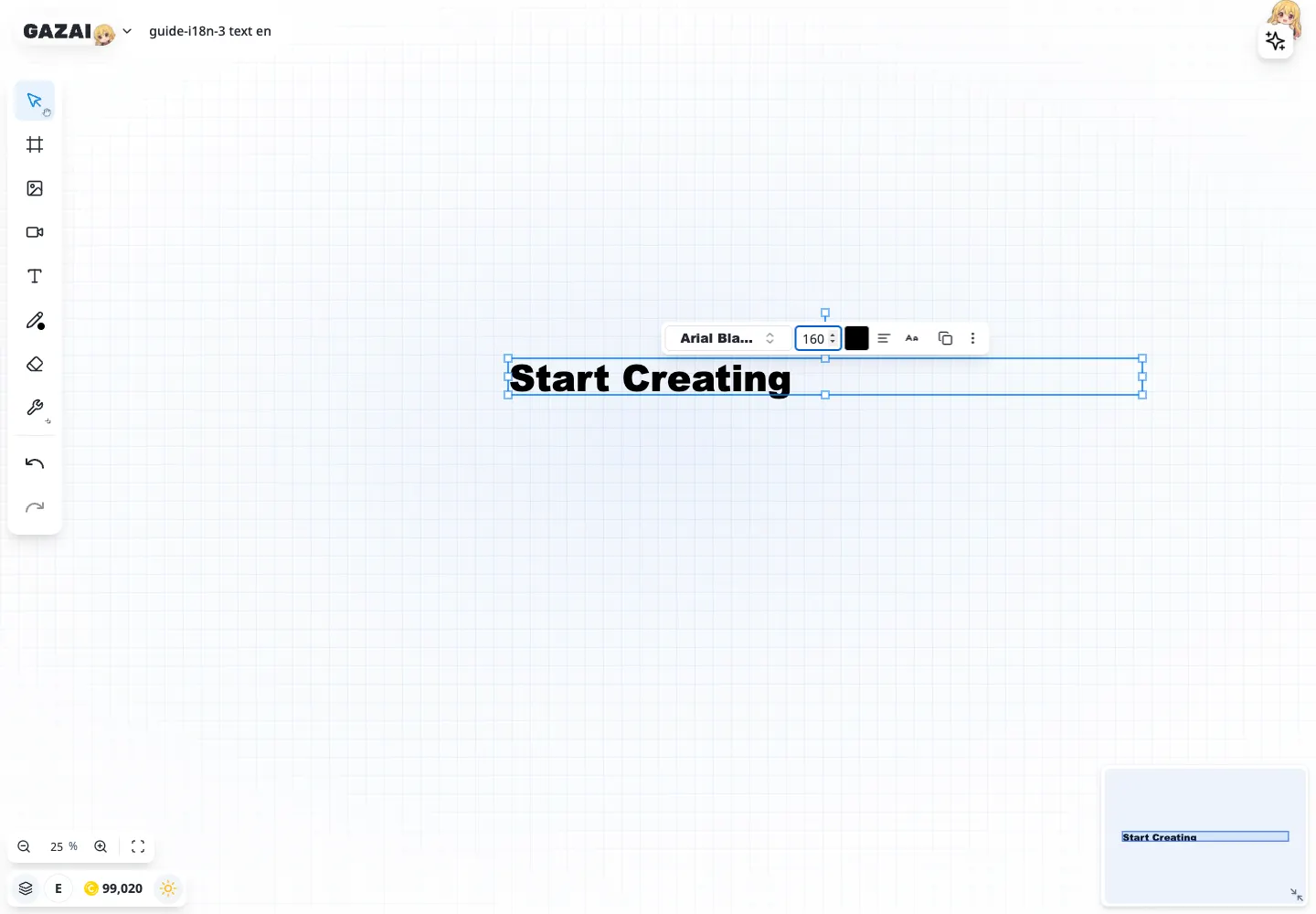
Select the text, pick a font in the toolbar above it, then enter a size in the number field and press Enter. We used Arial Black at size 160 here, but adjust to suit your layout.
The toolbar also lets you switch bold, italic, and underline, as well as left, center, and right alignment.
You'll see:Your title in the font and size you chose.
04 | Set the text color
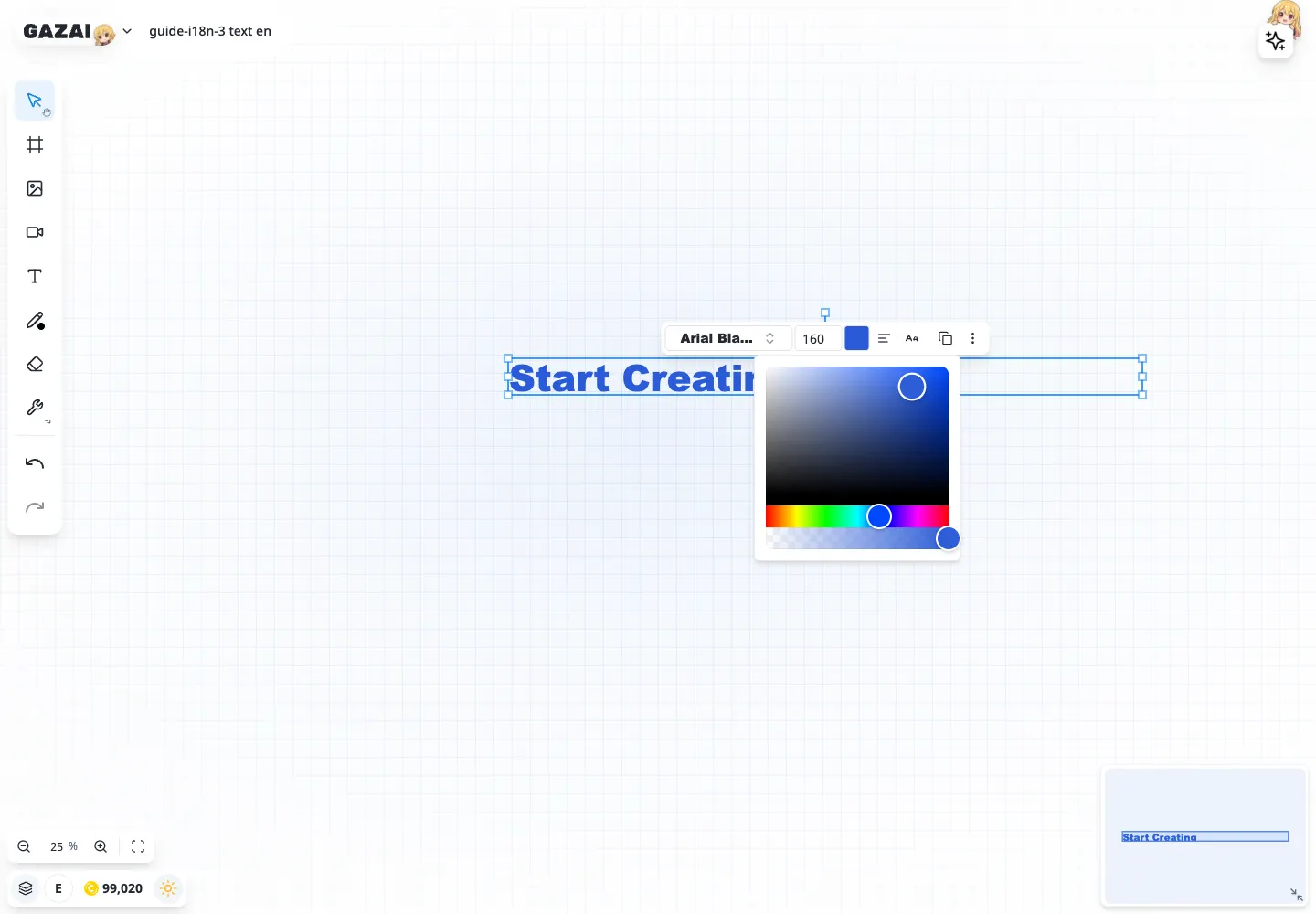
Click the color swatch to the right of the size field, pick a color from the rainbow bar and gradient area, then press Esc to close the panel. We chose blue here.
You'll see:Your title in the new color. Make sure it's still easy to read.
05 | Move your text
Switch back to the select tool (V), then drag the text itself to where you want it. Dragging the text moves it, and dragging the handles around it resizes it.
Want to turn your text and images into one finished picture? Next, you can wrap them in a frame.
🛠️ Stuck? Check here first
- Shortcuts not working?If you're still typing, press Esc to leave text editing first, then use the tool shortcut.
- Made a typo or dragged it to the wrong spot?Press ⌘/Ctrl + Z to undo and ⌘/Ctrl + Shift + Z to redo.
- Text cut off or can't find it?FollowCan't find something on your canvas? Three ways to get it backto check the text box, the view, and the layer status.