
✨ What will we do here?
Love this character, that camera move, and a certain sound? Bring them into Seedance's reference mode, call them out in your prompt with @Image1, @Video1, and @Audio1, and explain how each one should be used!
🚀 Follow along, step by step!
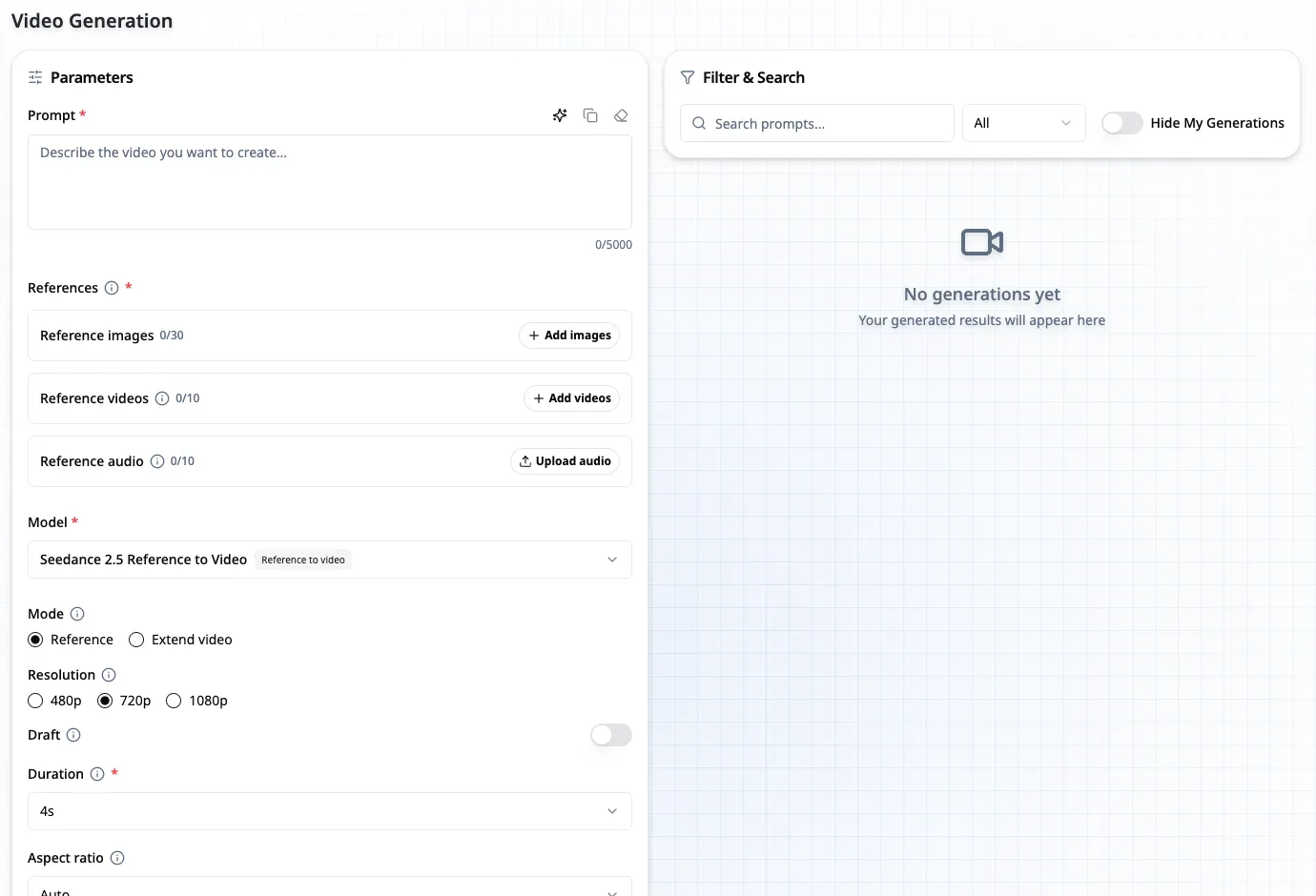
- Under "Model", choose "Seedance 2.5 Reference to Video".
- In "References", add your images, videos, or audio. Once they're in, check each preview and its tag to make sure everything's in the right place.
- Click a thumbnail to insert its tag, such as @Image1, @Video1, or @Audio1, into your prompt. Then spell out what each one is for.
- For example: "Use @Image1 for the character's look, and follow the camera movement in @Video1."
- Set the "Mode", "Duration", and "Resolution" you want, check the token cost, and click "Generate"!
- When it's done, click the result card in your generation history to open the details window. Play the video to check it, and see which references you used.
🖼️ Compare with your screen
🛠️ Stuck? Check here first
- How many references, and which formats: Just follow the hints on screen.
- After you replace or remove a reference: Go back and check that the tags in your prompt still point to the right ones.
- Modes like "Extend video": These may need extra input, so take one more look before you submit.